2026-07-30
And a free one at that.
Written by: Peter Maginot
I couldn’t find an open-source steady-state compressible flow calculation program that could account for friction, heat transfer, elevation change, and non-ideal gas effects so I made one in Python. Here it is.
There are a good number of commercial software options out there to do this, and they are very well optimized to solve transient flow or complex networks with complex multiphase fluid mixtures in a reasonable amount of time, but you need deep pockets for a license for any of them. There is no cheap or free software to use for all of the cases where the ideal gas law just won’t cut it but that are otherwise not terribly complicated. Hopefully this program can help fill that gap.
This program consolidates all of the things I used to have a dozen different spreadsheets to do.
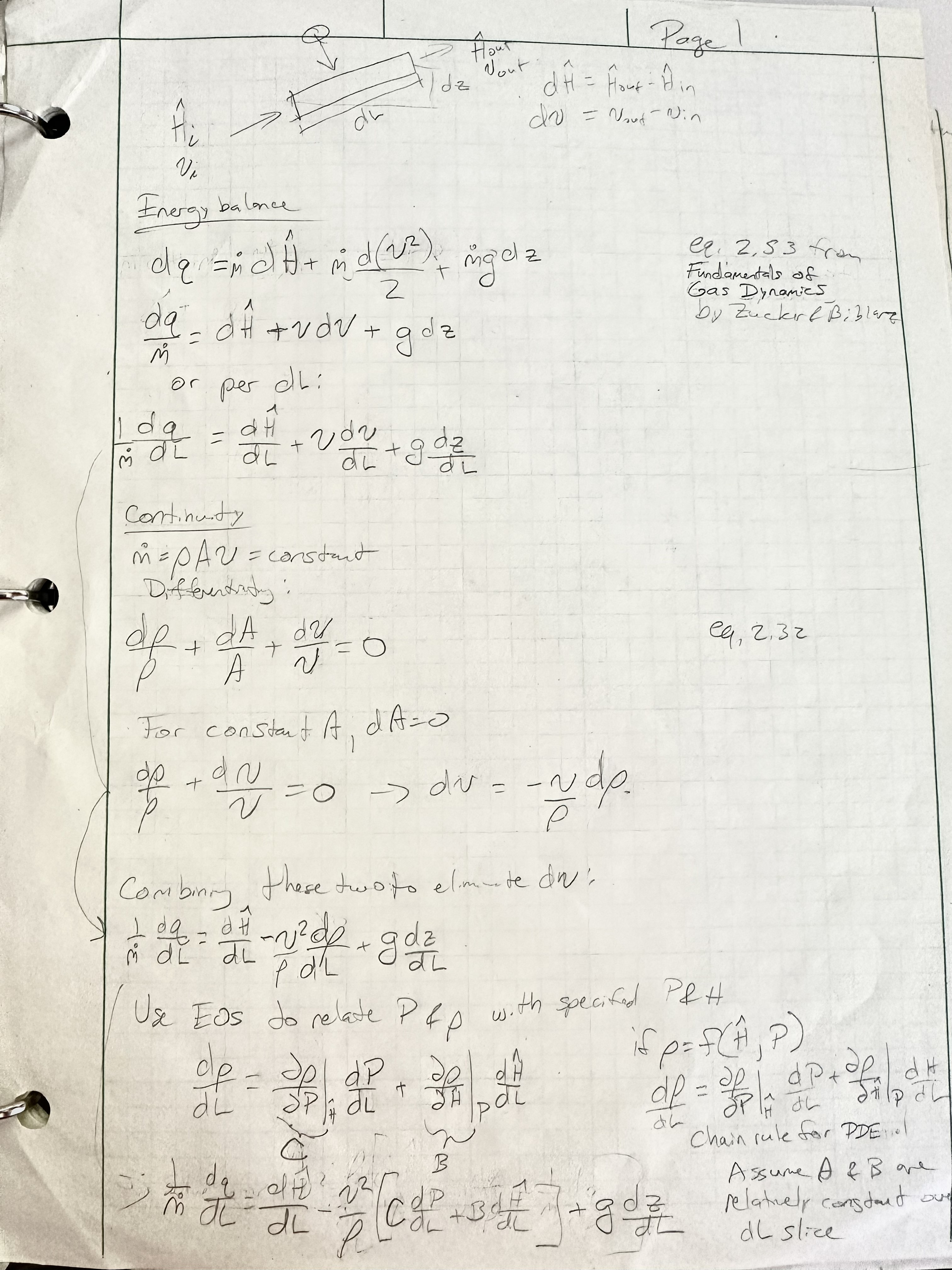
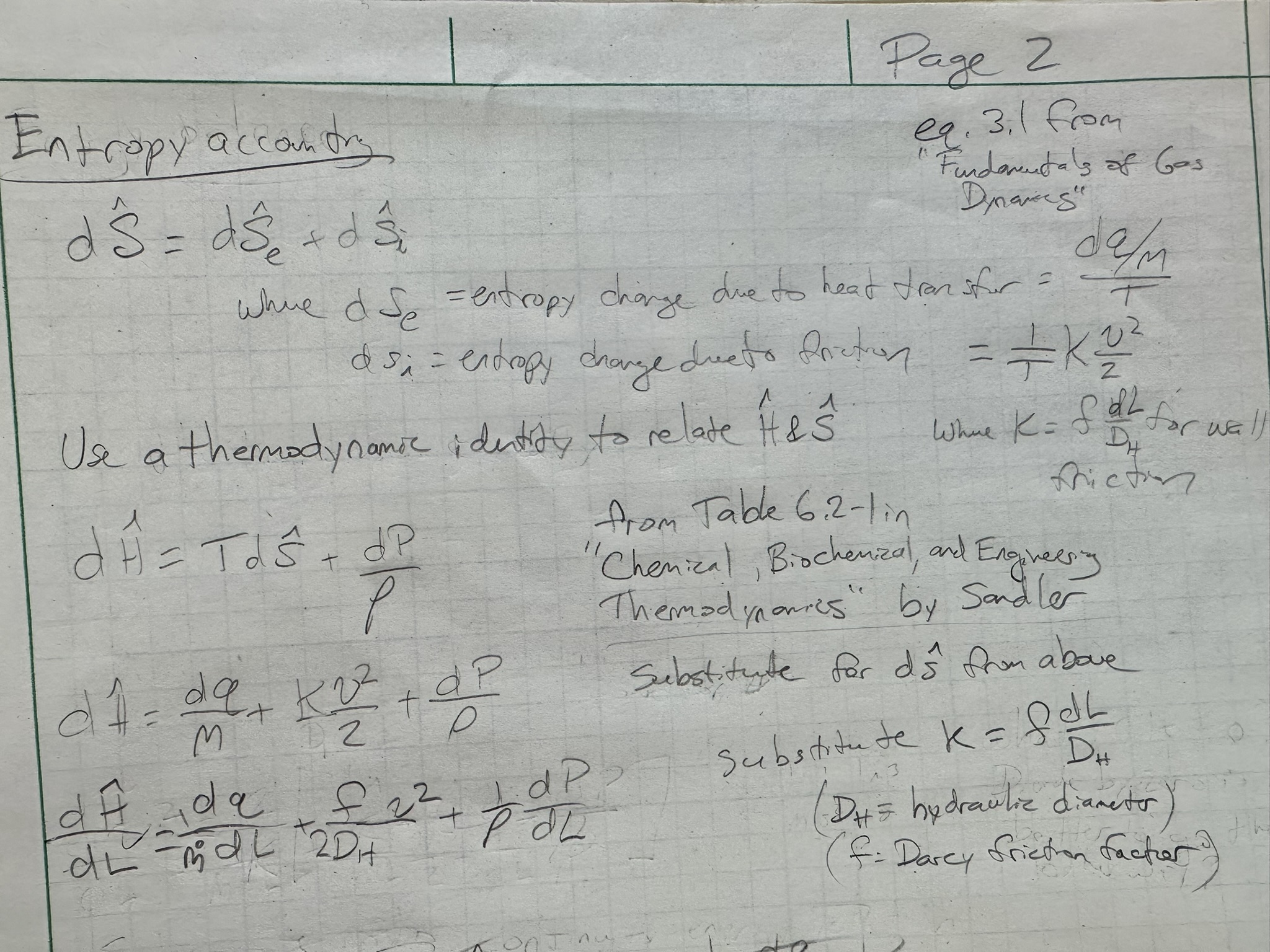
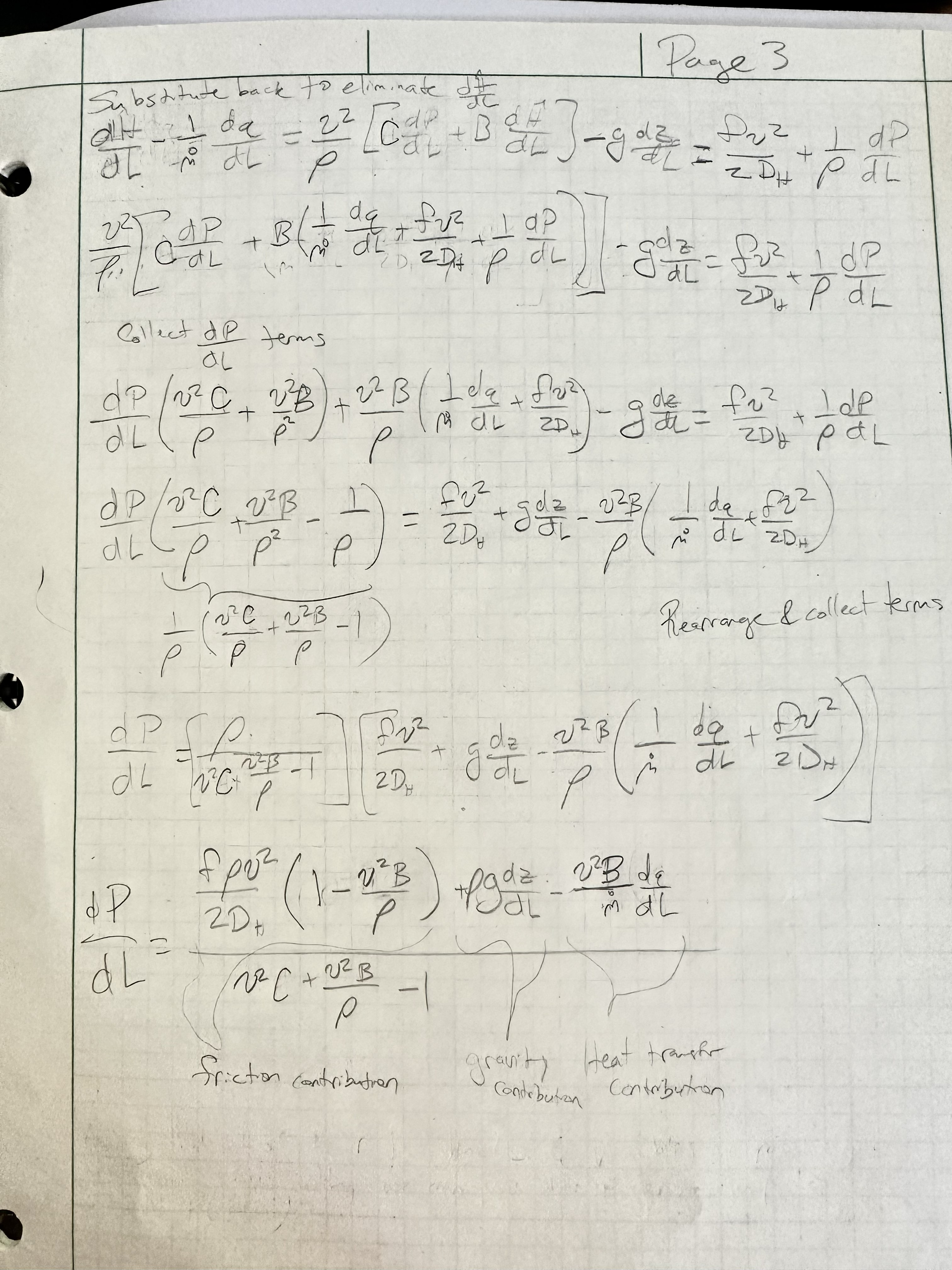
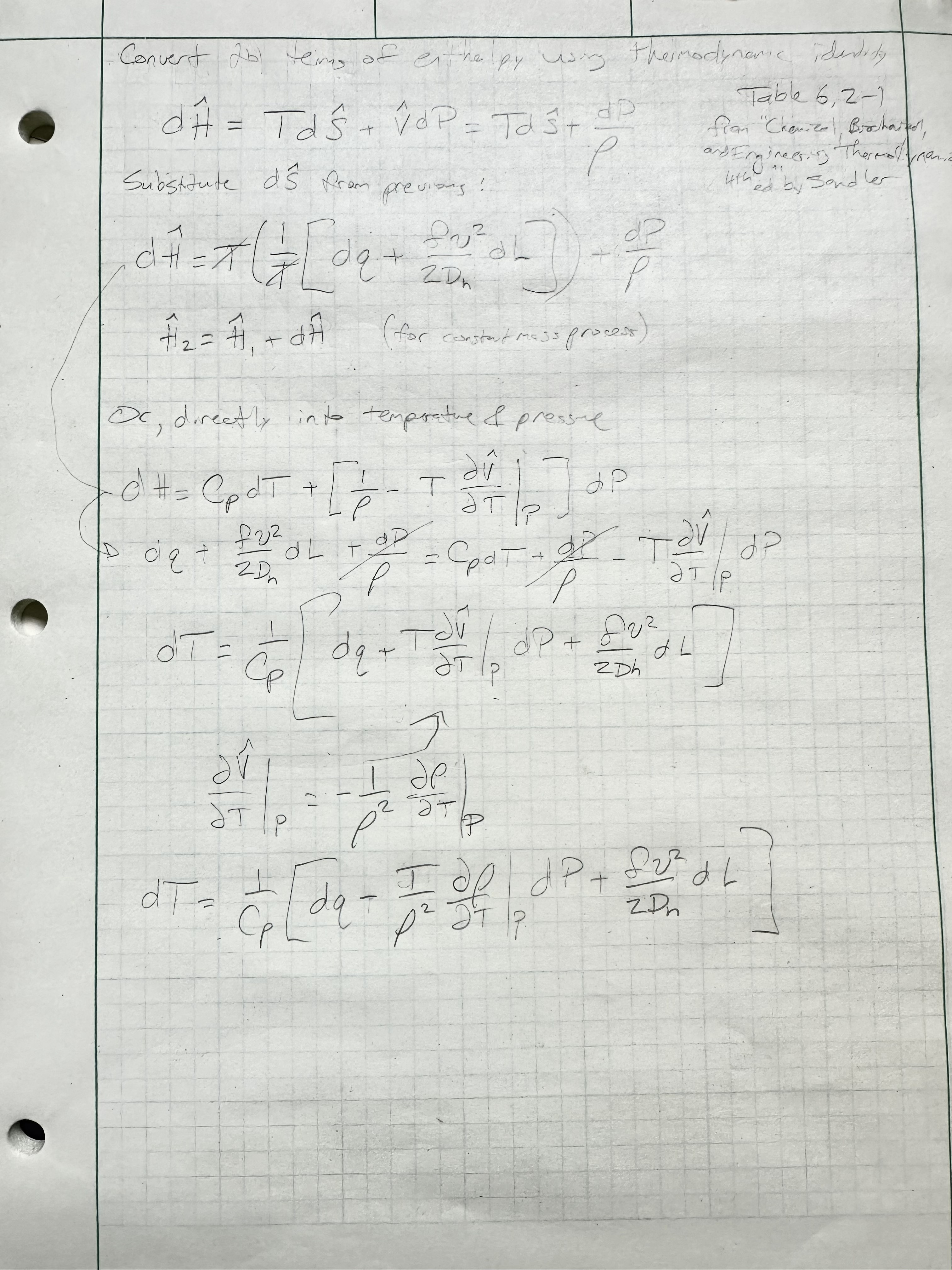
For single-phase steady-state flow, the math isn’t that complicated. It’s just a handful of balance equations (mass balance, energy balance, entropy accounting) for each piping component type. For instance, for a pipe segment, you can solve the equations for the rate of change of pressure and temperature with distance down a pipeline, dP/dL and dT/dL, and numerically integrate them, using an equation of state to find the properties at each integration slice. There is an easy-to-use equation of state library, CoolProp, that you can use to do this in Python for most common gas mixtures. It can even directly calculate the odd partial derivative properties that are required.
import CoolProp.CoolProp as CP
from CoolProp.CoolProp import AbstractState
AS= AbstractState("HEOS", "Nitrogen")
P = 101325    #Pascals
T = 273.15    #Kelvin
AS.update(CP.PT_INPUTS, P, T)
density = AS.rhomass()
dRho_dP_H = AS.first_partial_deriv(CP.iDmass, CP.iP, CP.iHmass)
print(f'Density: {density} kg/m^3')
print(f'First partial derivative of density wrt pressure at constant enthalpy: {dRho_dP_H}')
Additionally, there is the Python fluids library, which has easy-to-use correlations for friction factors and K-values for various fittings among many other functions. Both of these libraries are great resources, and I’m grateful to those who took the time to put them together and give them away.
Here’s how you get a friction factor out of the fluids library.
from fluids.friction import friction_factor as fluids_friction_factor
f_darcy = fluids_friction_factor(Re=Re, eD=roughness / D_h)
Need a K-value for a fitting? Easy peasy.
from math import pi
import fluids.units as fittings
from fluids.units import u as ureg

ID_pipe = ureg.Quantity(3.068, "inch")

rho = ureg.Quantity(49.0, "lb/ft^3")
flow_rate = ureg.Quantity(10000, "bbl/day")
area = (ID_pipe**2)/4*pi

velocity = flow_rate / area

K_globe = fittings.K_globe_valve_Crane(D1=ID_pipe, D2=ID_pipe)
K_swing_check = fittings.K_swing_check_valve_Crane(D= ID_pipe, angled=True)

dP_globe = velocity**2 * K_globe * rho / 2
dP_check = velocity**2 * K_swing_check * rho / 2

print(f'Globe valve K factor: {K_globe}, pressure drop: {dP_globe.to("psi")}')
print(f'Check valve K factor: {K_swing_check}, pressure drop: {dP_check.to("psi")}')
Following the example of Caleb Bell, the author of the Python fluids library, I solved a number of textbook problems using the program to validate its results. These examples are in the textbook_test_functions.py file. They also demonstrate ways of using the program in its bare-bones command line form. I also added a module to solve for flow rates and pressures in arbitrary looped networks of pipes by iteratively guessing and checking flow rates and pressures throughout the network. To make it easier to construct these networks, I Claude’d together a basic GUI that you can use by running the python run_gui.py command.
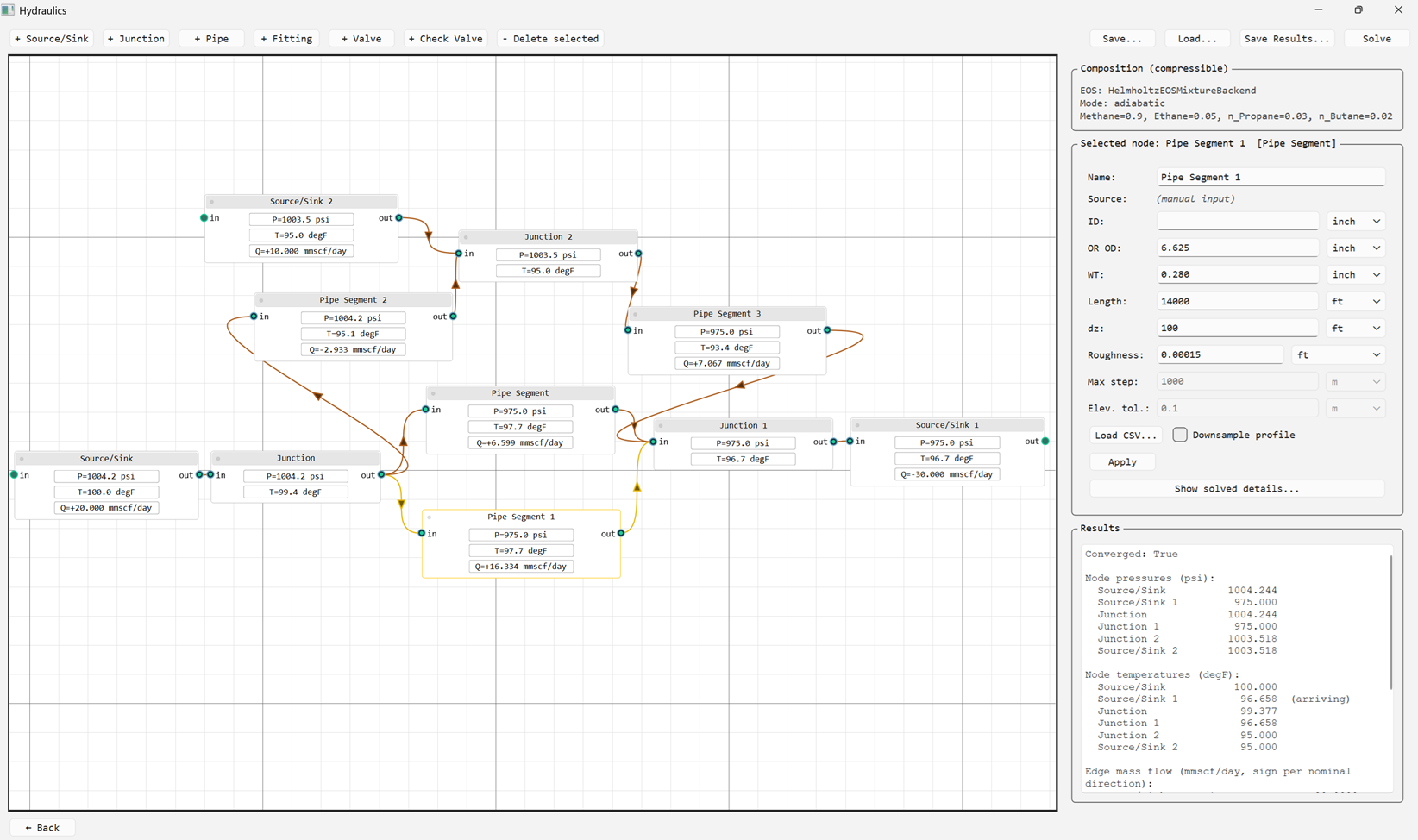
So take a look at it and let me know if you see any problems that need to be fixed. I think releasing open-source versions of software tools to solve common engineering problems needs to be more common. There are a whole lot of us out here making similar spreadsheets to solve the same old problems, and probably making a lot of mistakes in the process that aren’t discovered until something bad happens. Spreadsheets are great at acting as a basic user interface for entering data and reading off results, but cell references make terrible variable names, and it’s incredibly easy to make a mistake when entering a formula and not notice for a long time. All the more so when a spreadsheet never sees the light of day outside of a single office.
Calculation steps written in Python code are much easier to review than a spreadsheet. With Python, you can also harness pre-existing libraries to easily build upon the work of others. And open-source software allows a degree of peer review of these calculators that rarely happens within the confines of an individual organization. Going forward, this is the way I plan on working, and I think you should consider it too.